Evidence-backed answers from your own documents

Direct answers grounded in policies, runbooks, and institutional knowledge. The platform keeps it all current as your content changes.

Solution

Search that gives answers, not links

  • AI agents answer from your actual documents with citations.
  • The platform keeps answers current as content changes.
  • Deploy as an API endpoint or use the built-in console UI.

What grounded internal search looks like

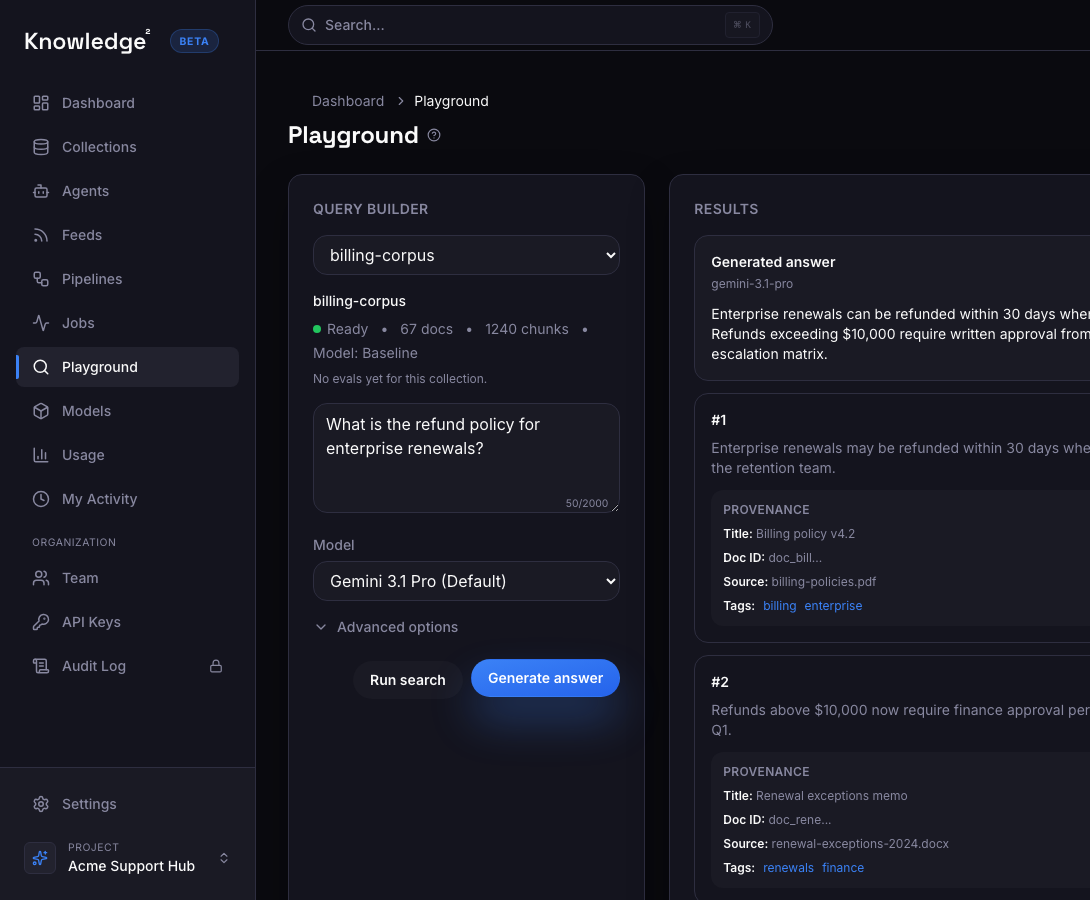
The goal is not ten blue links. It is a direct answer, grounded in the right document, with a citation your team can verify.

01

Answers grounded in your content

  • AI agents reason over your actual documents, not the internet
  • Every answer includes passage-level citations tied to source passages
  • Users verify evidence — not guess whether the AI made something up
AI-generated answer with passage-level citations from source documents
02

Stays current automatically

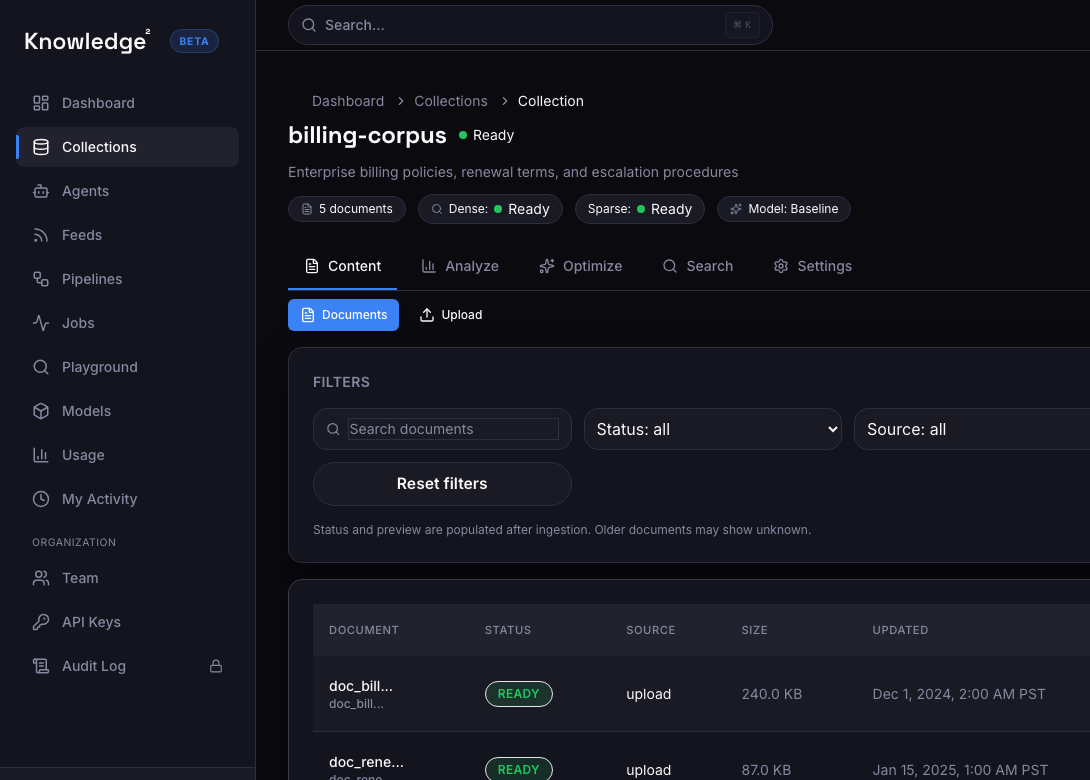
  • The platform keeps content current as your knowledge sources change
  • Agents serve answers from the latest version — not a stale snapshot from last quarter
  • No manual reindexing or rebuild required when content changes
Document list with current content and recent update timestamps
03

Deployed as a product, not a prototype

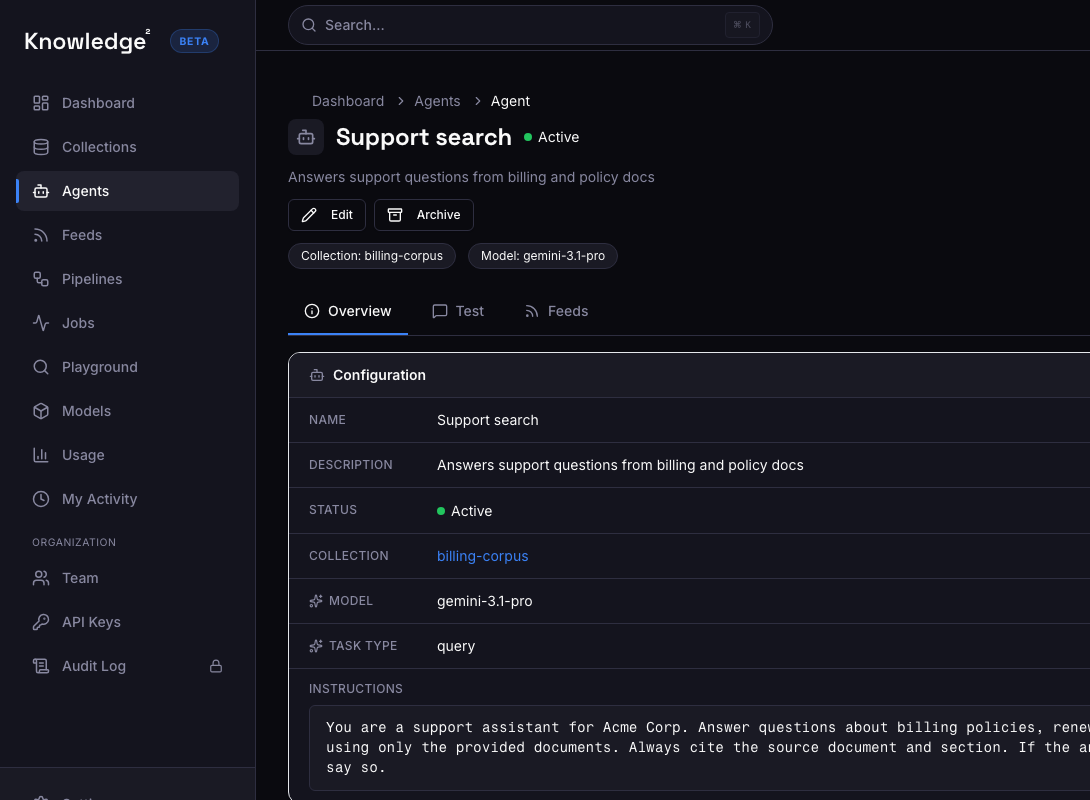
  • Each agent gets its own API endpoint — embed it in your internal tools
  • Built-in UI for teams who want search without building anything
  • Tenant-scoped access, audit logging, and role-based controls for enterprise use
Agent configuration with API endpoint, corpus, and system prompt

What this looks like in a product

A support engineer asks a domain question and gets a cited answer

The agent searches across internal documentation and returns a grounded answer with citations.

  • The engineer gets a direct answer — not a list of documents to read through.
  • The citation points to the exact policy section, so the answer is verifiable.
  • The content was updated last week, and the agent already has the latest version automatically.

Example user experience

A support engineer checks the current escalation policy

The agent returns a cited answer from the latest version of the policy.

Question

What is the escalation path for P1 incidents after hours?

Grounded answer

After-hours P1 incidents should be escalated to the on-call SRE via PagerDuty, with simultaneous notification to the engineering manager on rotation. If no acknowledgment within 15 minutes, escalate to the VP of Engineering.

  • Source: Incident Response Runbook v4.1
  • Section: §3.2 After-Hours Escalation
  • Last updated: 5 days ago

Implemented with the Knowledge² Python SDK

Keep the implementation surface small

Python SDK example

Python
from sdk import Knowledge2k2 = Knowledge2(api_key="k2_...")# Create a knowledge search agentagent = k2.create_agent( name="internal_search", corpus_id="corp_internal_docs", system_prompt="Answer questions about internal policies and procedures. Always cite the source document and section.",)# Query the agentanswer = k2.chat( agent_id=agent["agent_id"], query="What is the escalation path for P1 incidents after hours?",)

Illustrative search response

JSON
{ "answer": "After-hours P1 incidents should be escalated to the on-call SRE via PagerDuty...", "citations": [ { "source": "Incident Response Runbook v4.1", "section": "§3.2 After-Hours Escalation", "text": "P1 incidents outside business hours: notify on-call SRE via PagerDuty..." } ], "agent_id": "agent_internal_search", "corpus_id": "corp_internal_docs"}
  • Cited evidence on every answer
  • Tenant-scoped access controls
  • Audit logging
  • VPC / on-prem deployment
  • SOC 2 readiness

Customer results

31.8% cost reduction per turn. 43-75% less retrieval context.

~$80Kmodeled annual savingsElevataFinancial services